

BrokerIQ
PlatformScreenshotsUser guidesFind a propertyBroker workspace ↗

PROPERTY. PEOPLE. POSSIBILITY.

A better place
for your next move.

Find your next rental. Build your next connection. Keep your brokerage moving—with one connected experience for Gurugram.

Explore properties ↗For brokers →

Built for Gurugram · Web & Android · हिंदी & English

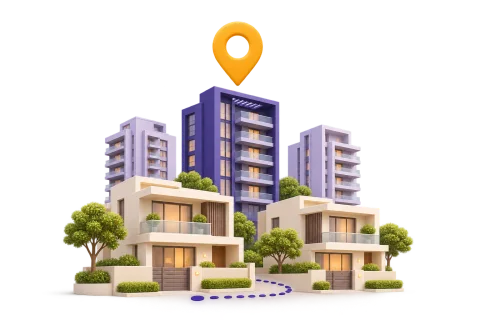
Conceptual architectural illustration with ivory homes and an indigo tower
Spaces to discover. Connections to build.
A connected property experience

User Portal

Discover, shortlist and enquire about properties.

26 Nov 2026, 08:03 pm ISTOpen User Portal ↗

Broker Portal

Track your inventory, leads and conversations in one place.

26 Nov 2026, 08:03 pm ISTOpen Broker Portal ↗

Owner Portal

Manage your properties and availability with ease.

BrokerIQ

Your property journey.
Your next possibility.

ExploreUser PortalBroker PortalOwner PortalAdmin LoginAndroid App ↗
InformationUser guidesHelp & supportContact[email protected]Privacy policyTerms of useAccount deletion
BrokerIQ↗
© 2026 BrokerIQYARVIX TECHNOLOGIES PRIVATE LIMITED · CIN U62090RJ2026PTC118558
26 Nov 2026, 08:03 pm IST
Open Owner Portal ↗

Android App

One app for users, brokers and owners.

26 Nov 2026, 08:03 pm ISTDownload App ↓

A LITTLE MORE CLARITY. EVERY DAY.

Property work,
beautifully connected.

From the first search to the next site visit, keep the important things close and the next step clear.

01

Your inventory. In order.

Houses, floors, contacts and source records stay connected. Find the right option without losing the details.
02

Every enquiry has a next step.

Bring requirements, follow-ups and site visits into one working day.

03

Capture now. Review with confidence.

Turn shared messages, images and registers into records you can check before using.

04

A clearer view of your business.

Real activity, useful trends and visible connection status across web and Android.

YOUR DAY DOESN’T STAY AT A DESK.

Take the workspace.
Leave the friction.

Search localities, review property information and keep your next action in view. Broker drafts stay available when your connection doesn’t.

Download Android ↓Open User Portal →

Install or update

Download the signed Android app, then open it and sign in with your existing account. Keep the installed app in place when upgrading.

Read the broker setup guide →

Verify the APK checksumfcc3381c491441b72c3489ba962035a15413b0fc38ad9fdcda661efc76f7a633

PRODUCT TOUR

See BrokerIQ at work.

Explore the customer portal, broker workspace, Android app and Super Admin tools. Each screenshot shows its captured edition.
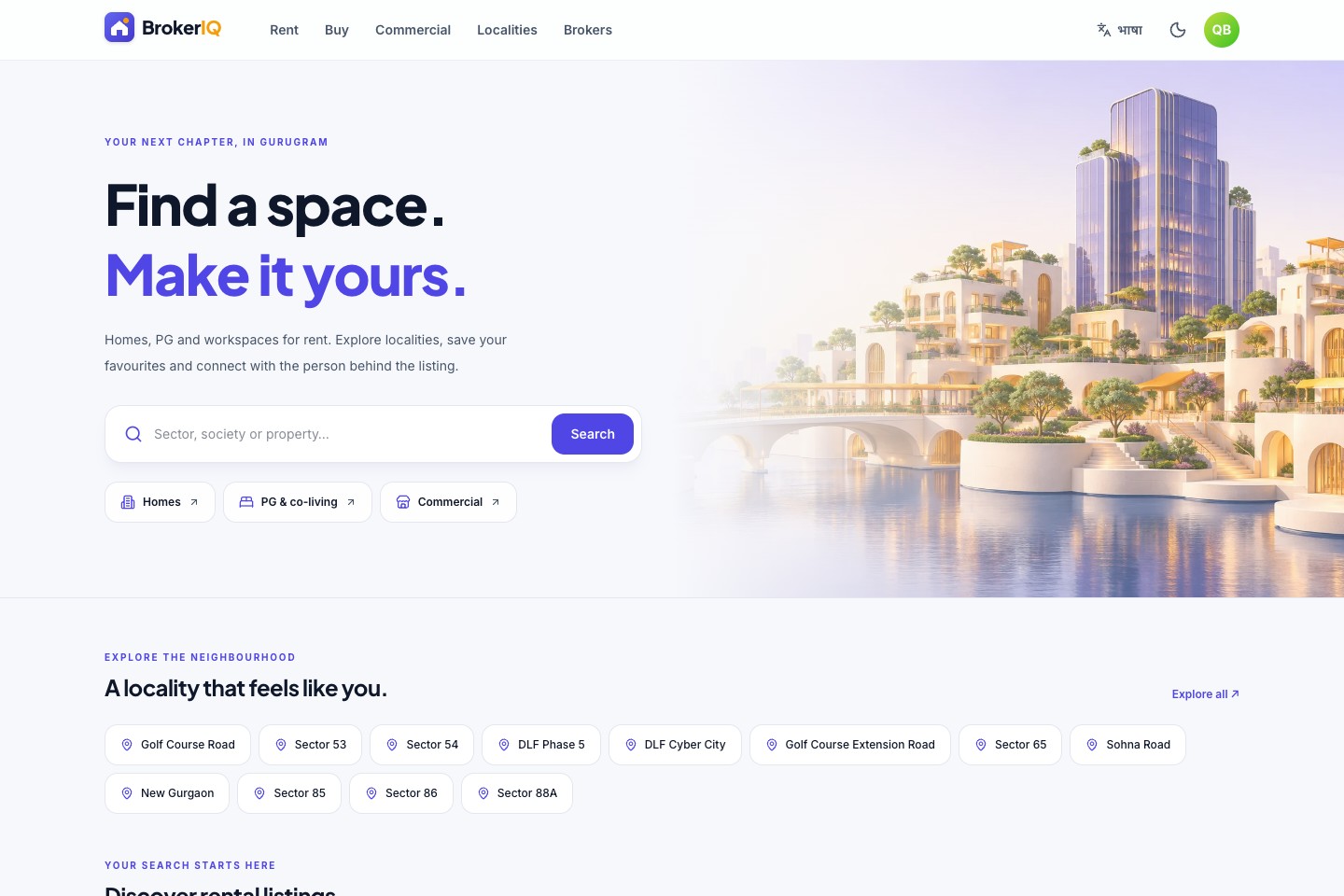
Customer portal

Explore the property marketplace
Explore the property marketplaceWeb 2.3.16 · Isolated QA workspace

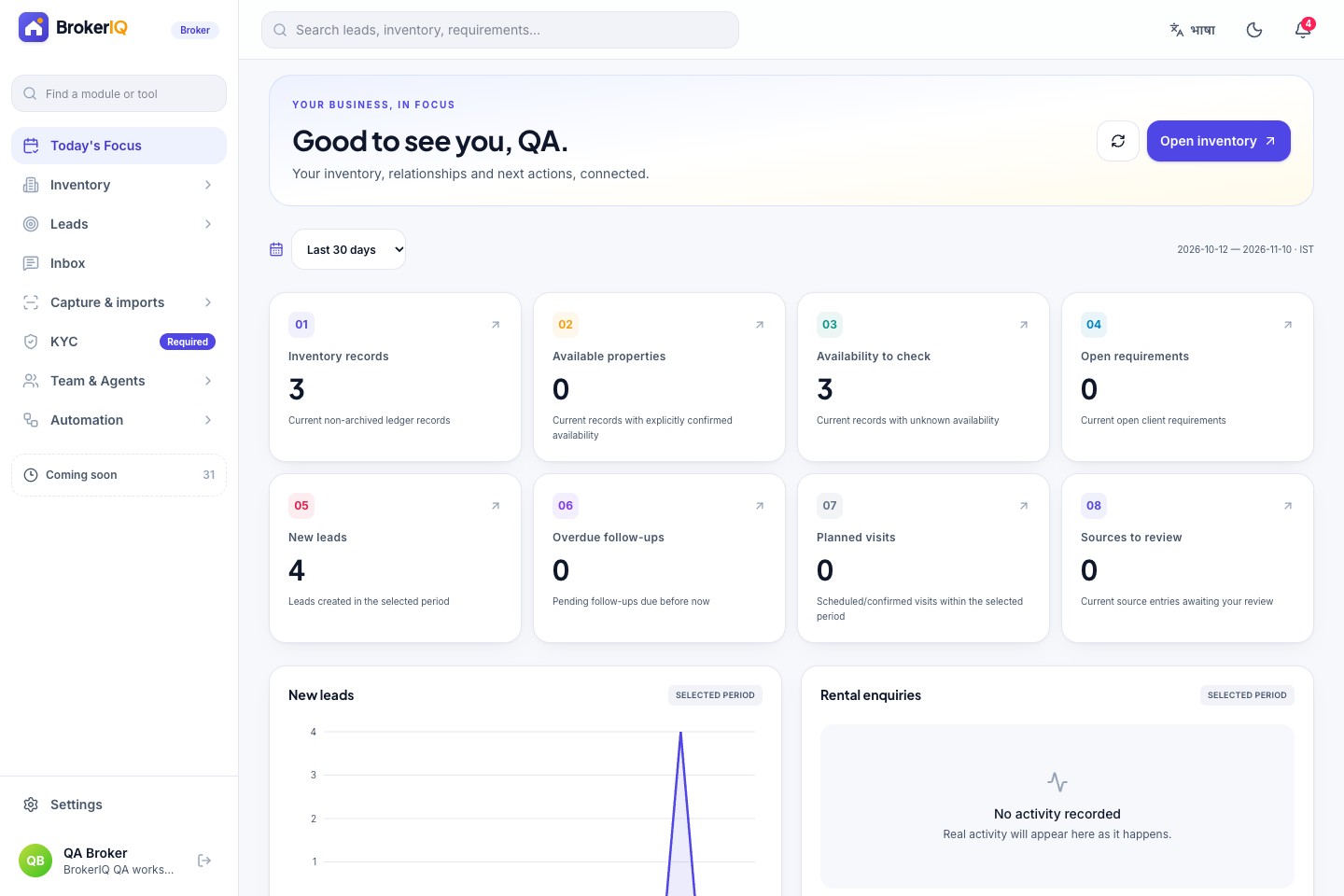
Broker workspace

Today’s Focus dashboard
Today’s Focus dashboardWeb 2.3.16 · Isolated QA workspace
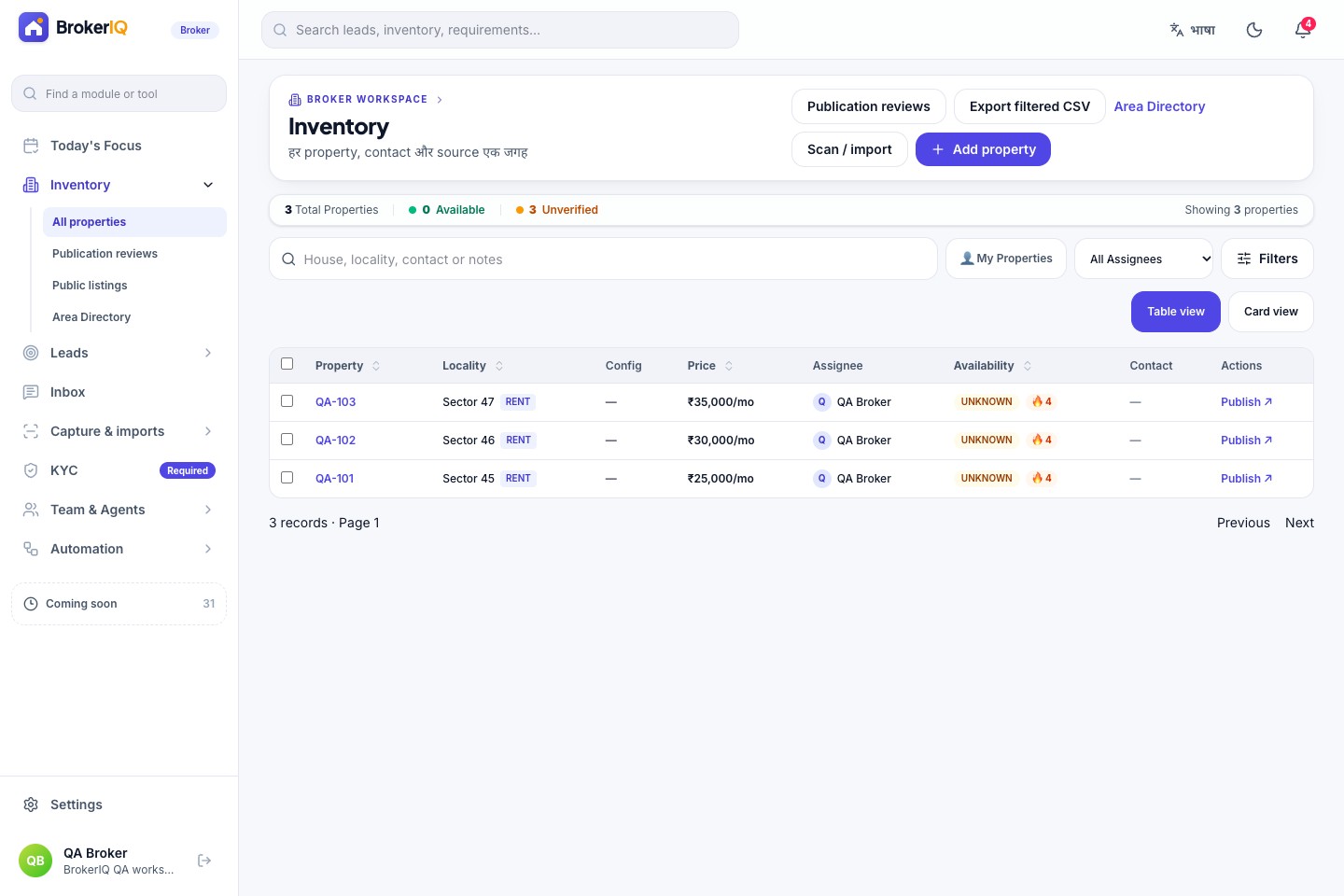
Inventory and filters
Inventory and filtersWeb 2.3.16 · Isolated QA workspace
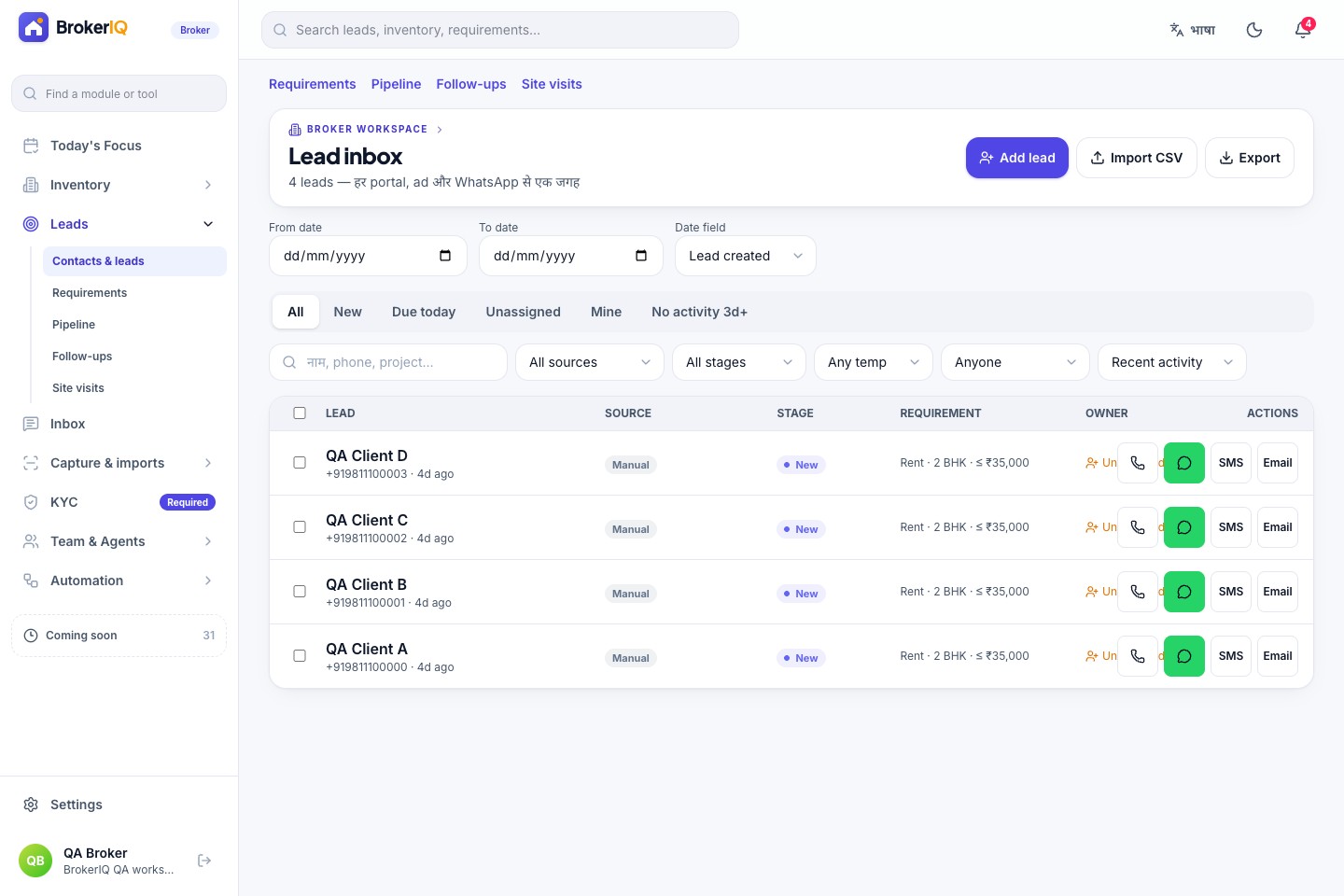
Lead inbox and actions
Lead inbox and actionsWeb 2.3.16 · Isolated QA workspace
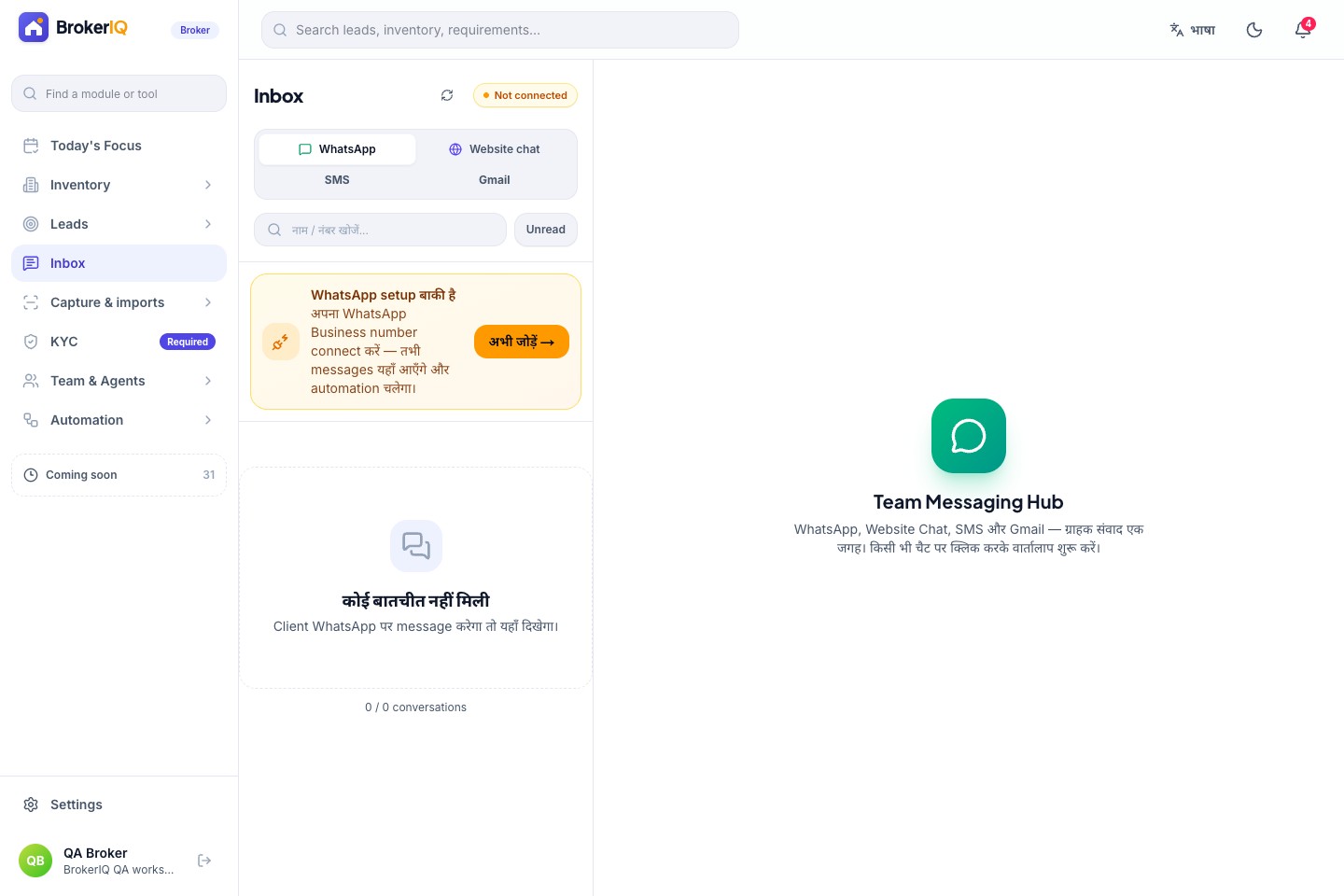
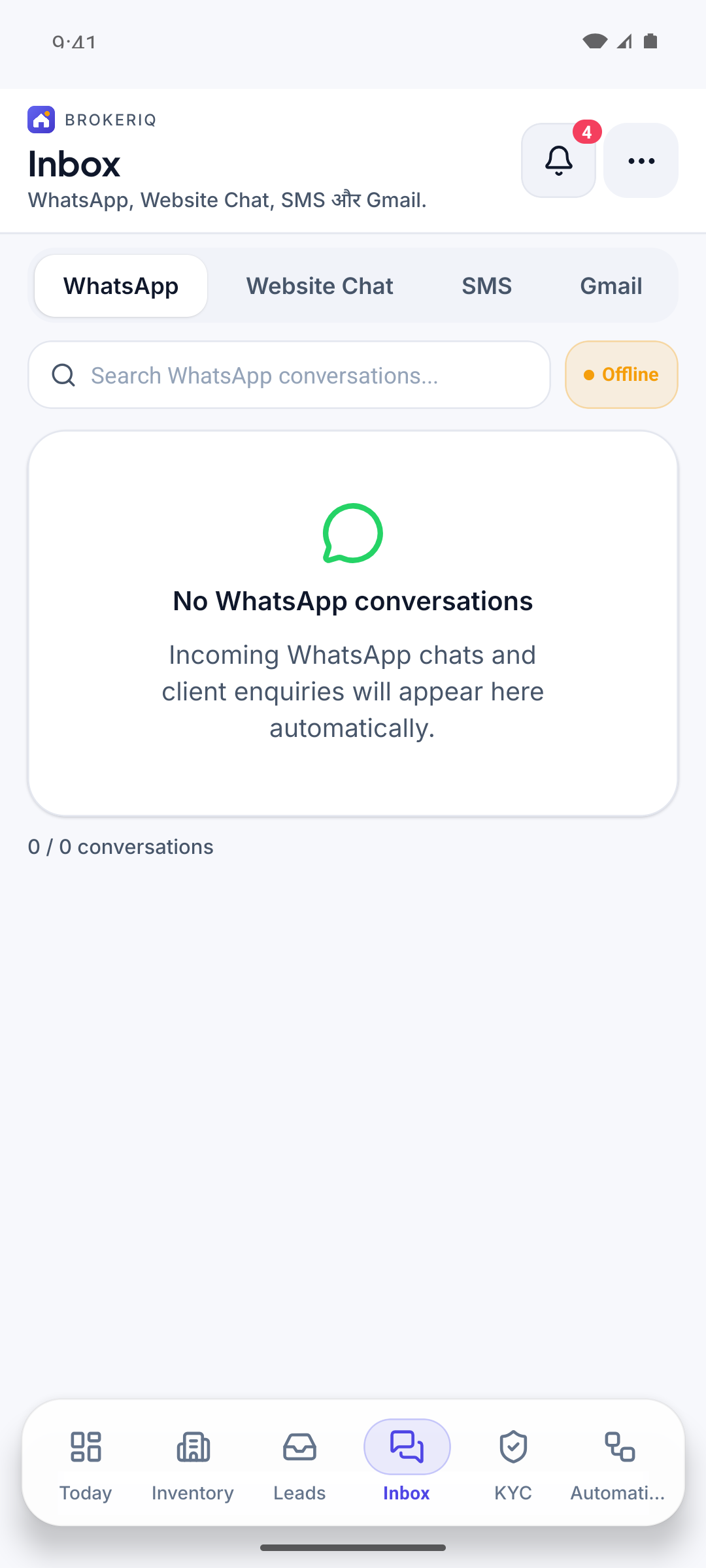
Inbox channels
Inbox channelsWeb 2.3.16 · Isolated QA workspace

Android app

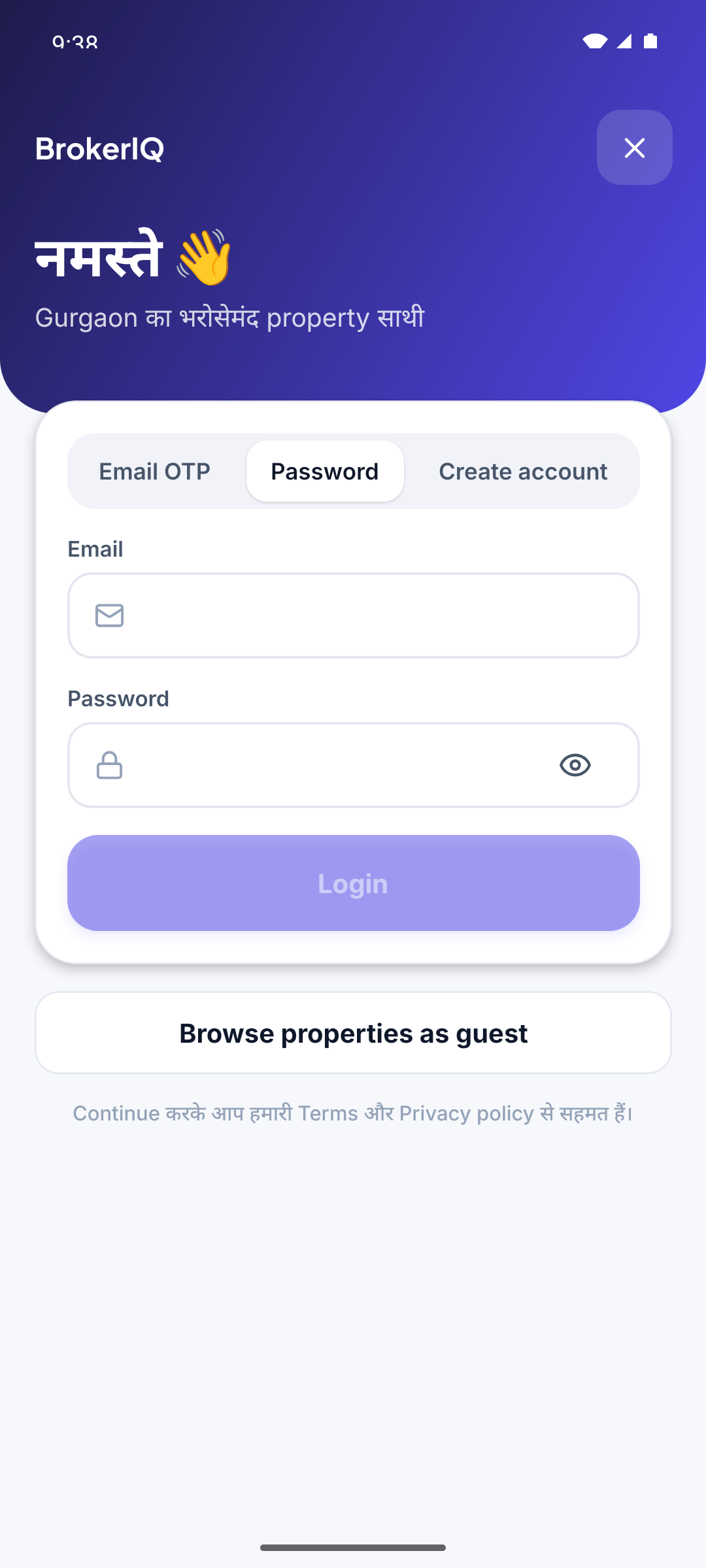
Sign in and password visibility
Sign in and password visibilityAndroid Build 57 UI · Isolated QA emulator
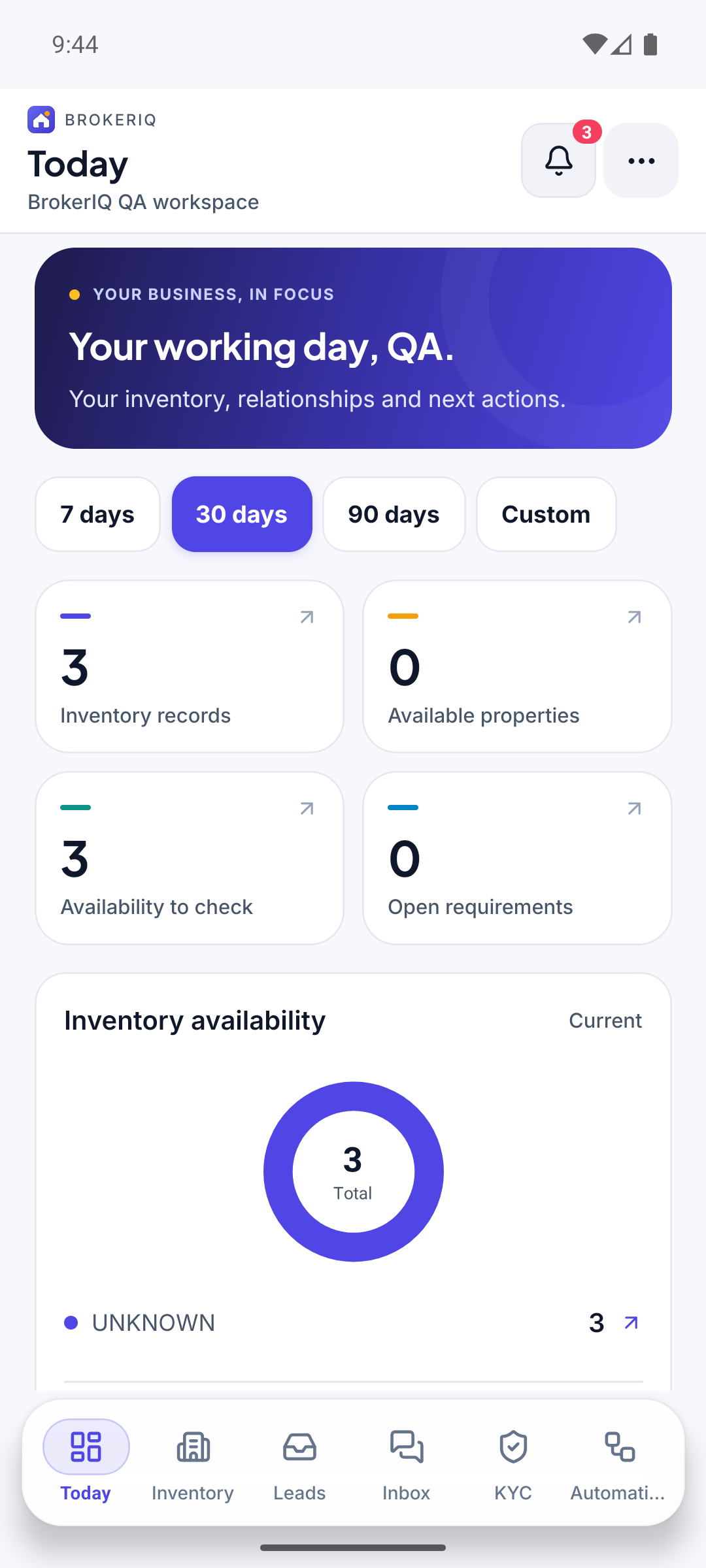
Today’s Focus
Today’s FocusAndroid Build 57 UI · Isolated QA emulator
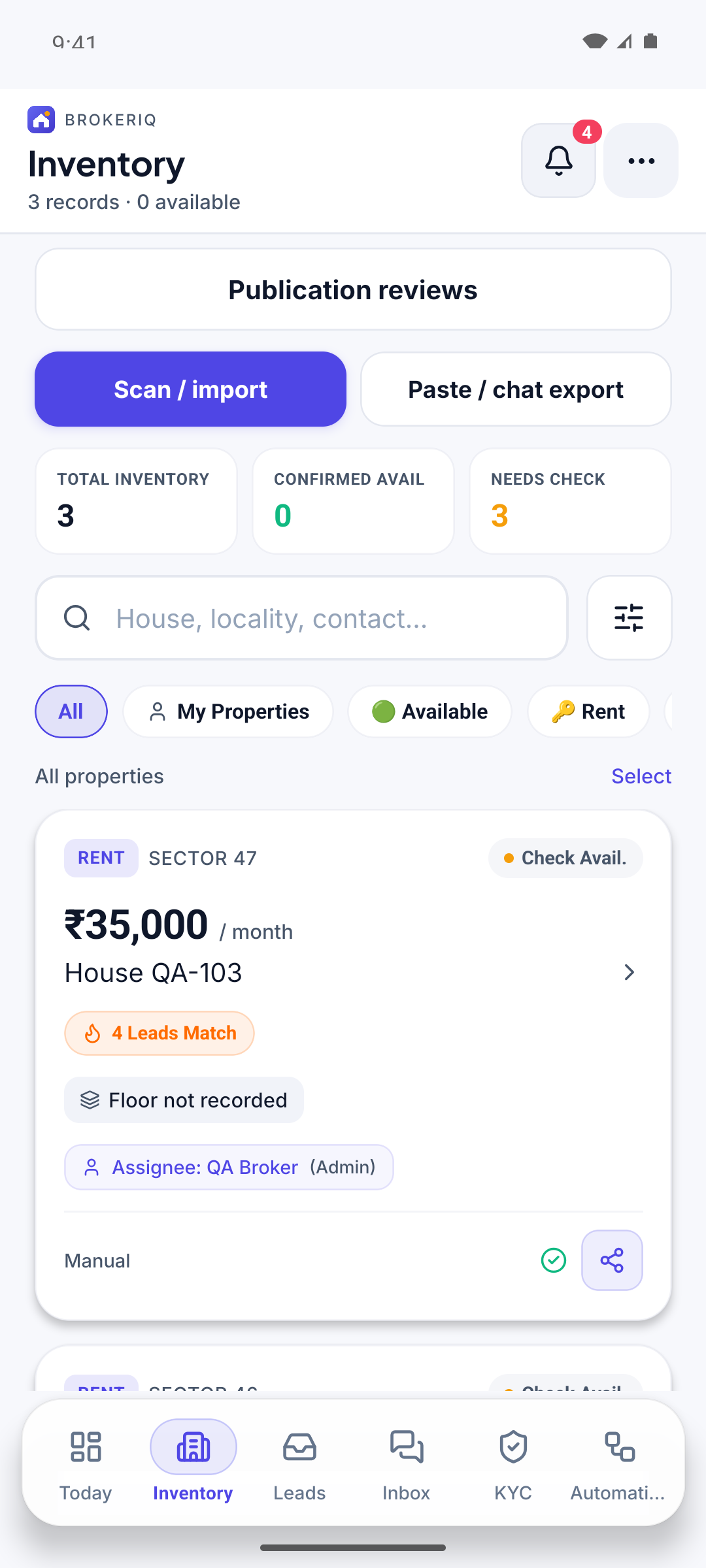
Mobile inventory
Mobile inventoryAndroid Build 57 UI · Isolated QA emulator
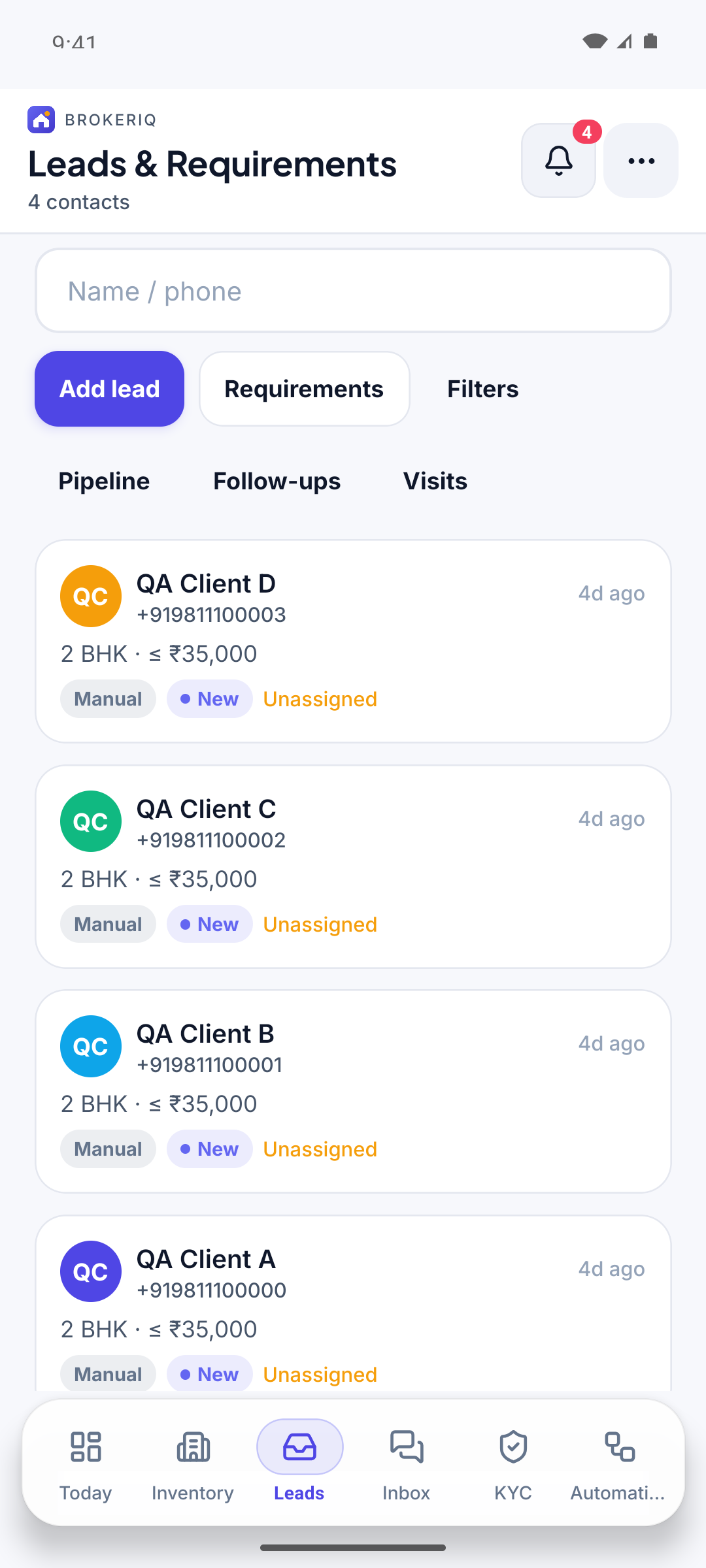
Leads and compact header
Leads and compact headerAndroid Build 57 UI · Isolated QA emulator
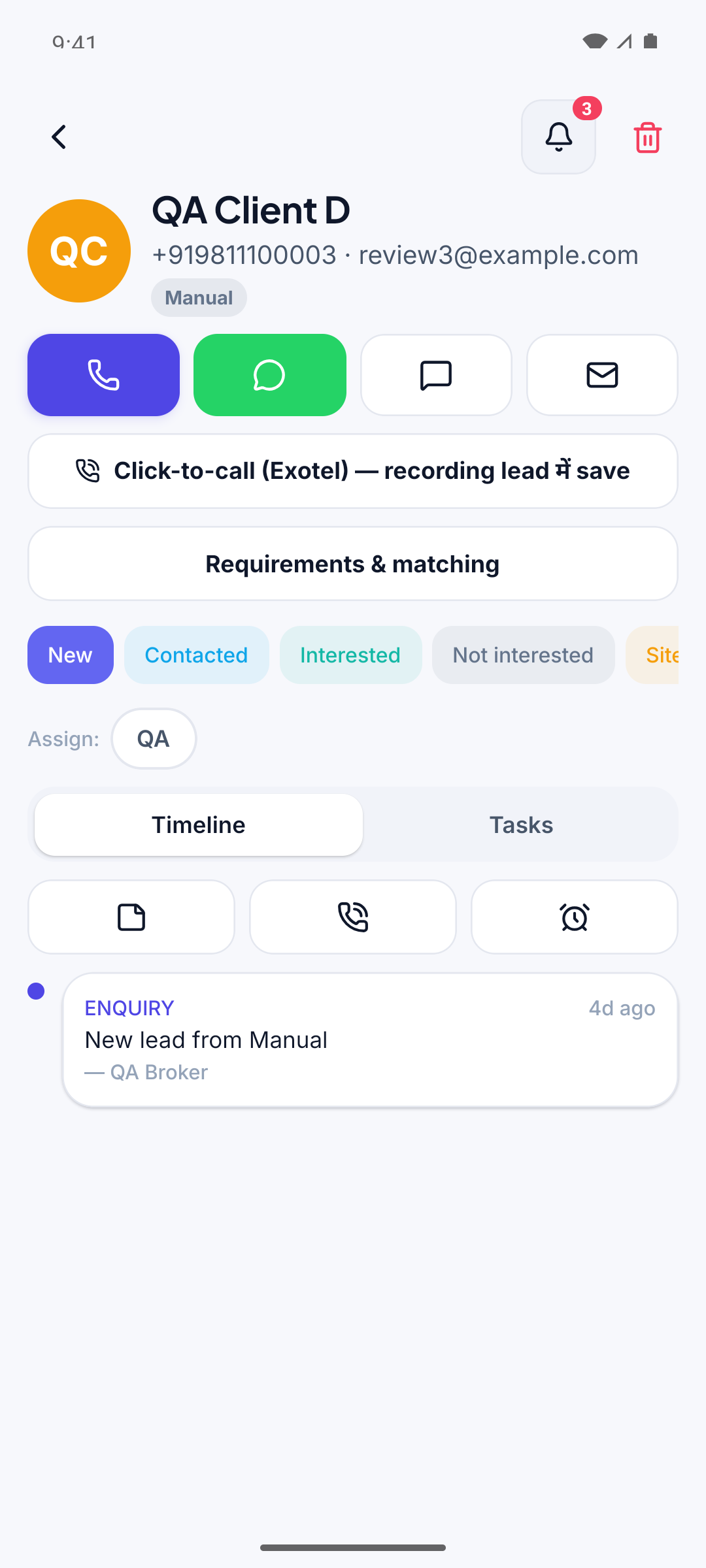
Lead contact actions
Lead contact actionsAndroid Build 57 UI · Isolated QA emulator
Inbox channels
Inbox channelsAndroid Build 57 UI · Isolated QA emulator
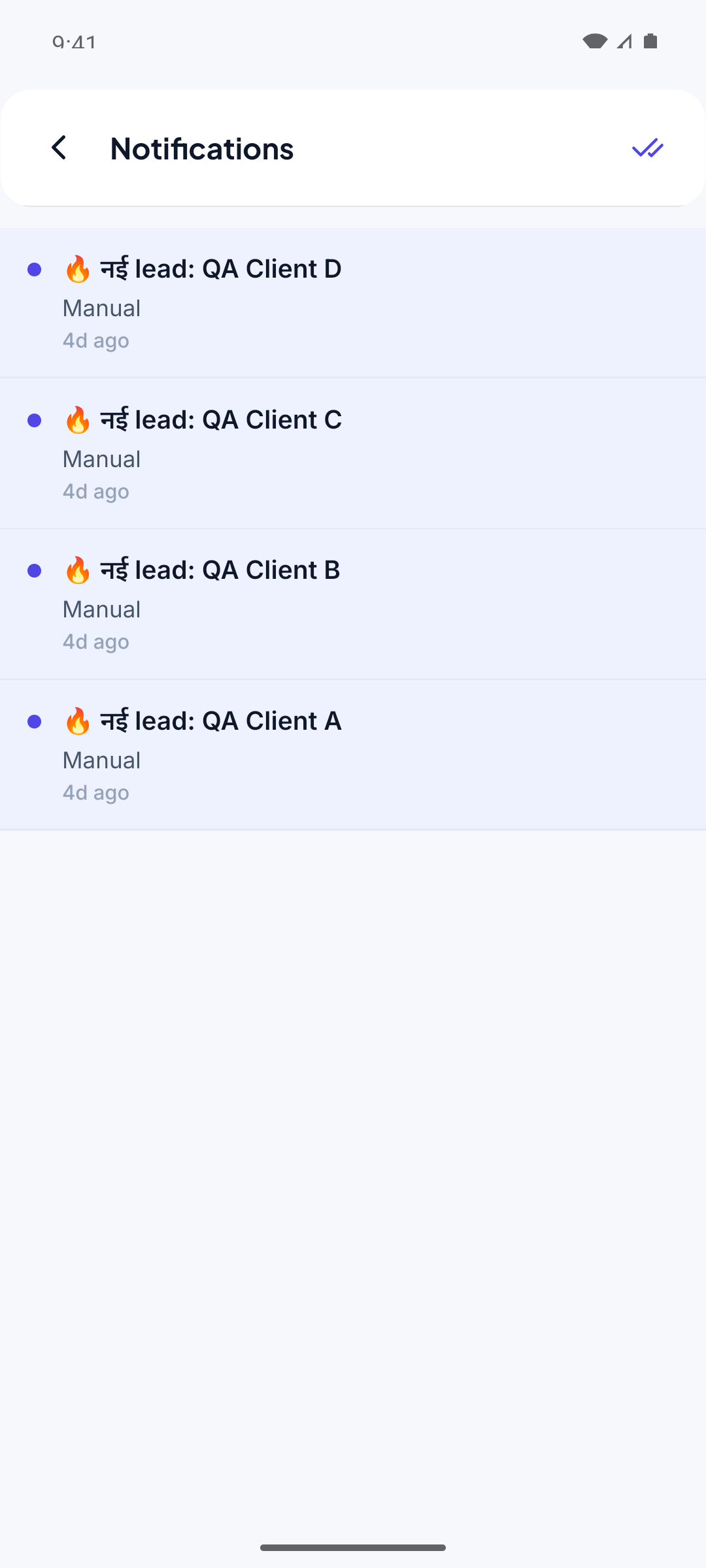
Notification centre
Notification centreAndroid Build 57 UI · Isolated QA emulator

Super Admin

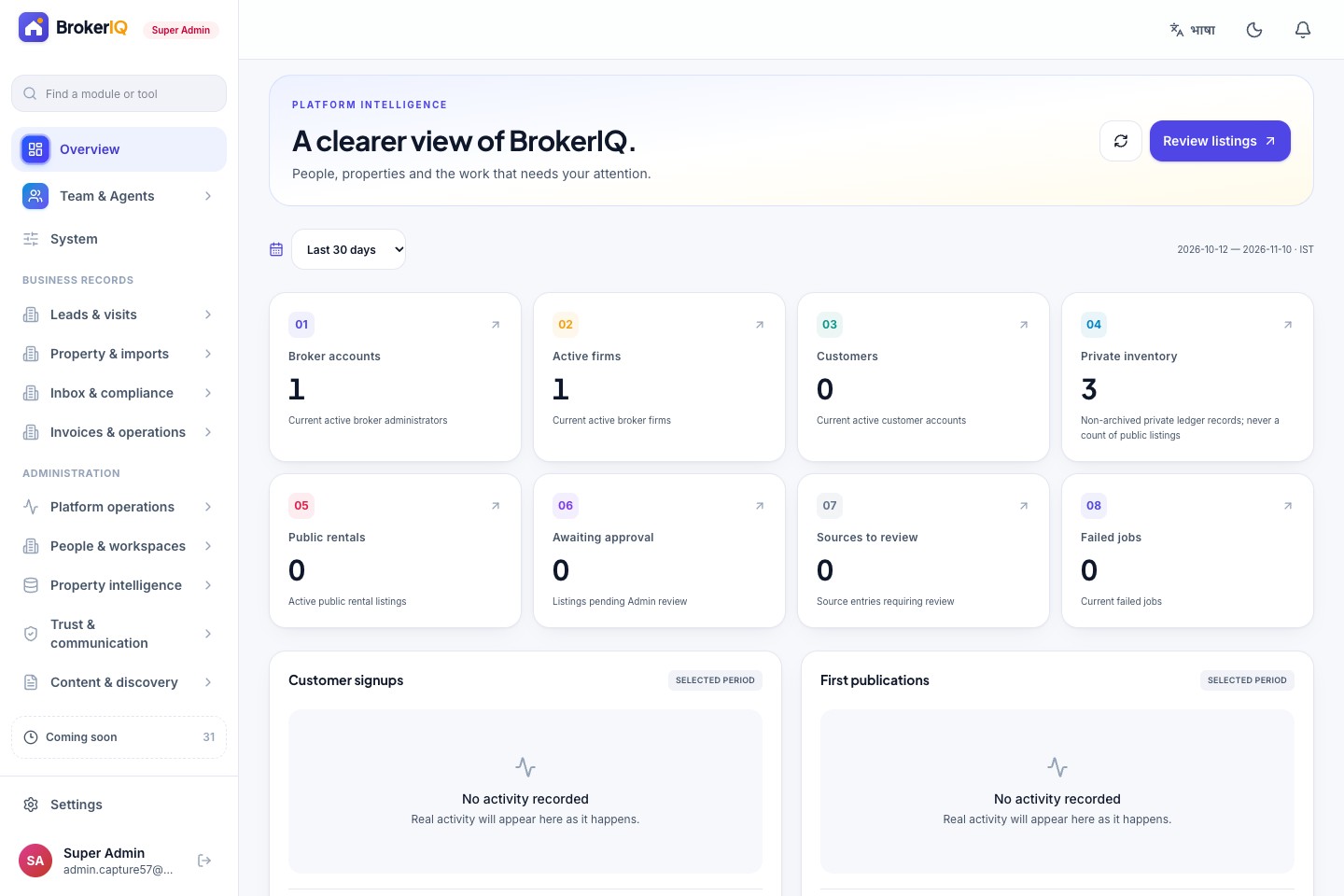
Platform overview and sidebar
Platform overview and sidebarWeb 2.3.16 · Isolated QA workspace
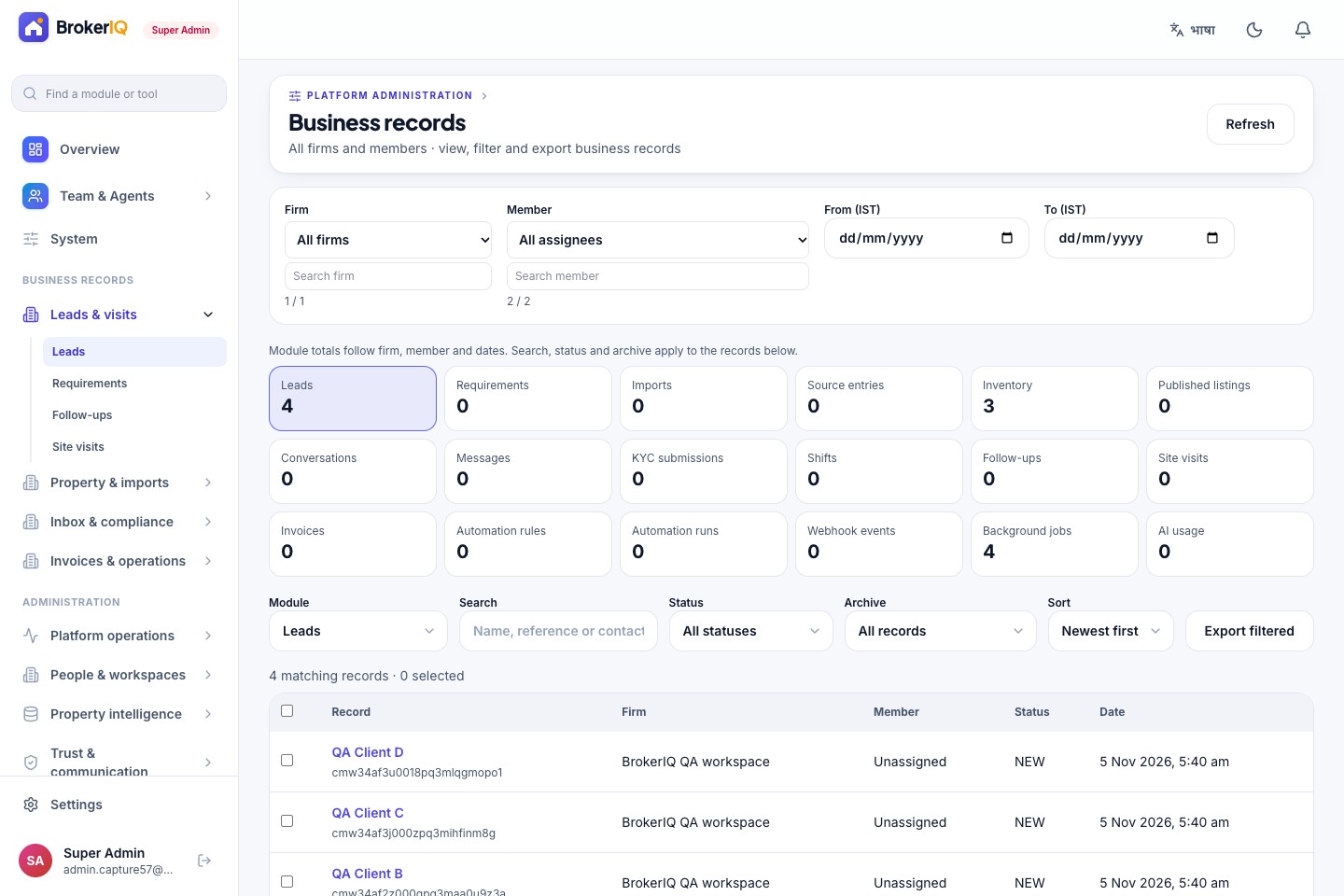
Business records by firm
Business records by firmWeb 2.3.16 · Isolated QA workspace
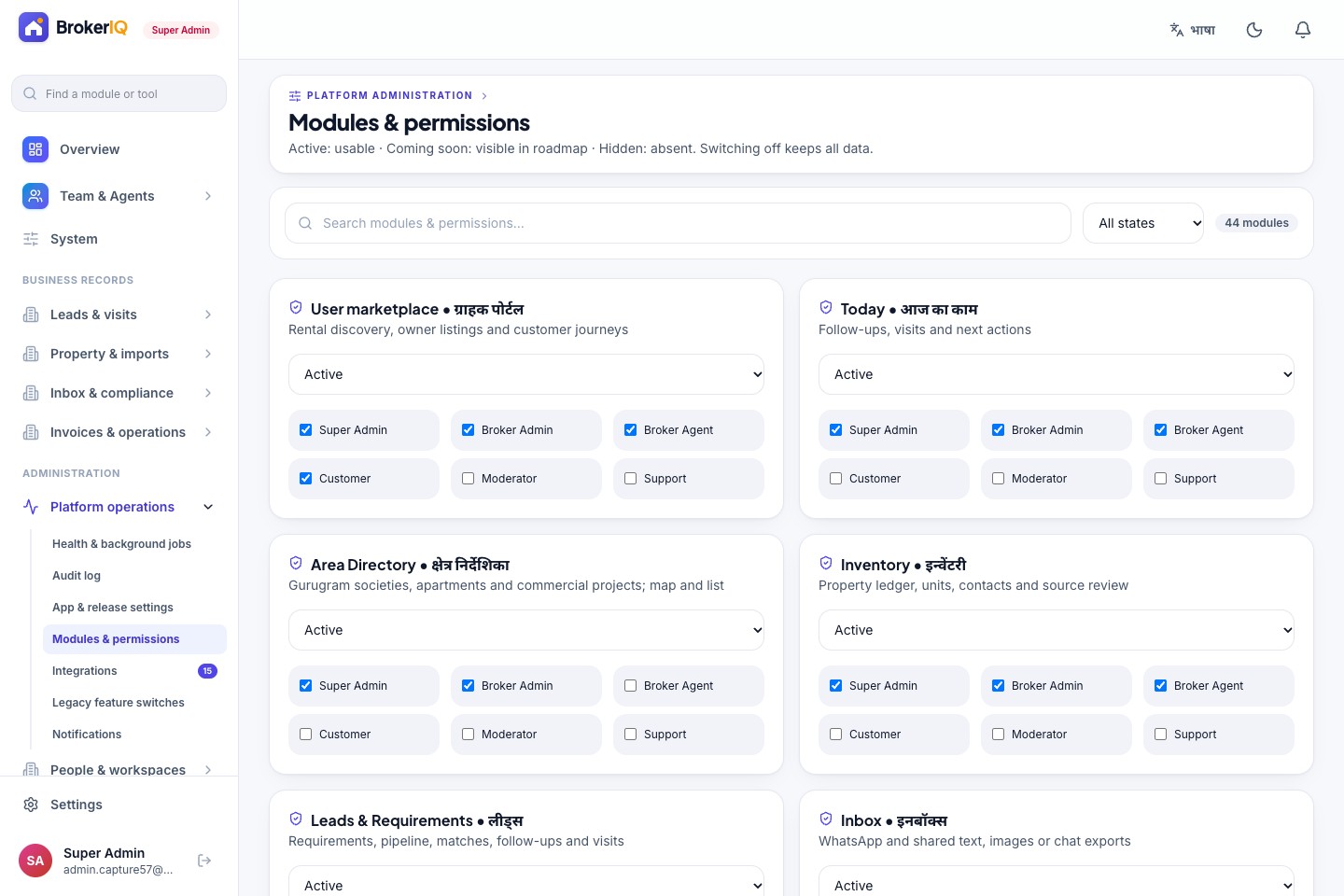
Modules and role permissions
Modules and role permissionsWeb 2.3.16 · Isolated QA workspace
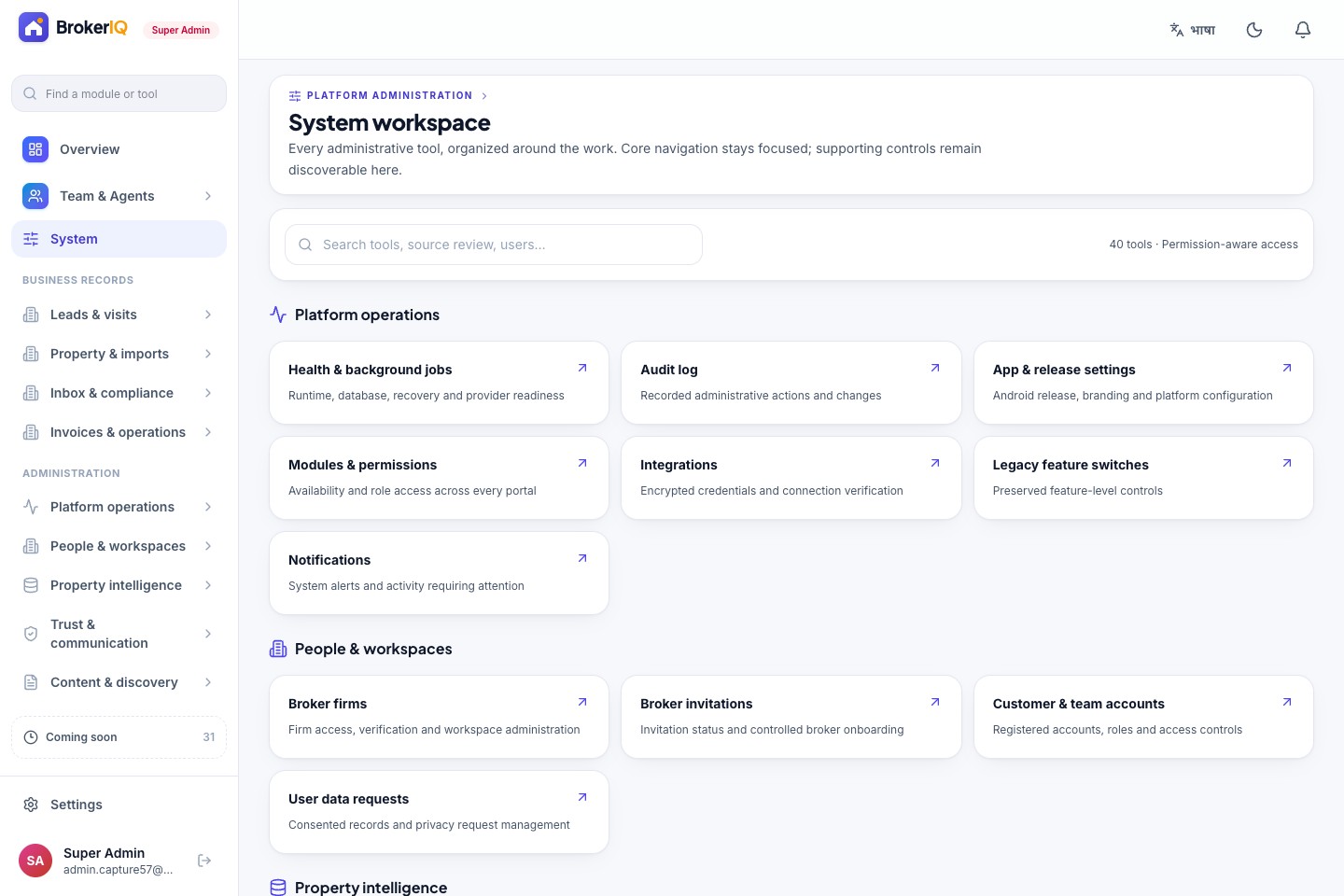
System workspace
System workspaceWeb 2.3.16 · Isolated QA workspace

GUIDES & SUPPORT

Find your next step.

Download Hindi or English guides for Broker Admins, Agents and Super Admins. For account, privacy or service questions, contact BrokerIQ support.

Learn the workspace

Sign-in, leads, inventory, Inbox and administration.

Open user guides →

Get help

Help with your account, listing or firm setup.

Help centre → Contact →

Your data and account

Read the policies and learn how to request account deletion.

Terms · Privacy · Account deletion

YOUR NEXT MOVE STARTS HERE.

A place to find.
A business to grow.

Find a rental ↗Open your workspace →